

Skip to content
Zeidman Development
Zeidman Development
Zeidman DevelopmentZeidman Development
  • Home
  • About us
    • Newsletter
    • Contact
    • Blog
    • Careers
  • Products
    • Audit Trail for RE NXT
    • Chimpegration
    • Importacular
  • Services
    • Consulting
    • Customizations and Integrations
  • ZeidZone
    • Register
    • Lost Password
    • Log In
Search:
  • Home
  • About us
    • Newsletter
    • Contact
    • Blog
    • Careers
  • Products
    • Audit Trail for RE NXT
    • Chimpegration
    • Importacular
  • Services
    • Consulting
    • Customizations and Integrations
  • ZeidZone
    • Register
    • Lost Password
    • Log In

Template Manager

Chimpegration for Salesforce User Guide

⌘K
  • Introduction and Signing Up
  • Getting Started
    • Fields to Review or Create
    • Trial Recommendations
  • Understanding Campaigns
  • Mailchimp Data Update
    • Creating an Ad Hoc (one off) Mailchimp Data Update
    • Creating a Scheduled Update to Mailchimp
  • Salesforce Data Update Process
    • Creating an Ad Hoc (one off) Salesforce Data Update
    • Creating a Scheduled Salesforce Update
    • Creating a Realtime Salesforce Update
  • Activity Manager Process
    • Adding an ad hoc (one off) process
    • Adding a scheduled process
    • Adding a realtime process
  • View Results – Process Cards
  • Application Management and Settings
    • Template Manager
    • Authentication
    • User Management
    • Contact and Lead Field Settings
    • Billing
  • Request More Information
  1. Home
  2. Docs
  3. Chimpegration for Salesfo...
  4. Application Management an...
  5. Template Manager

Template Manager

This area shows you all existing templates. You can activate and deactivate templates (useful for realtime and scheduled updates) and delete templates no longer in use.
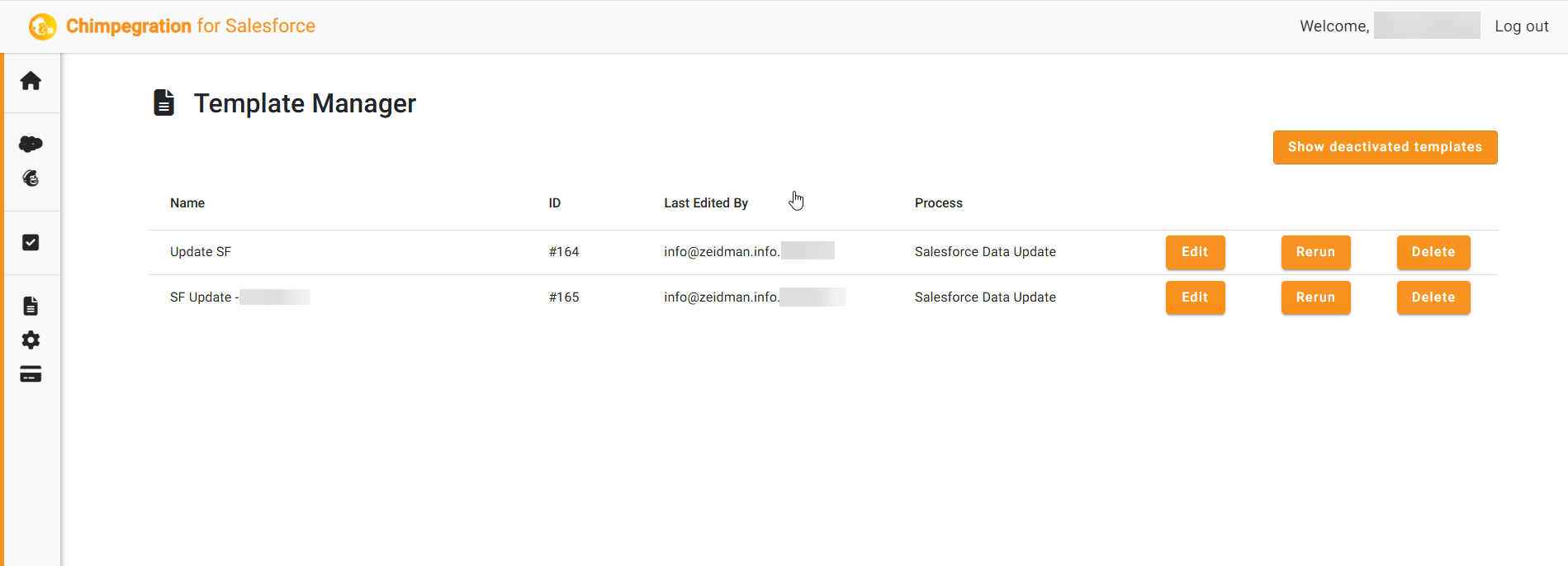
To see the set-up or details of a template you will need to go to the appropriate process and choose ‘edit’.

For Adhoc Processes, you can rerun them by clicking on ‘rerun’

Doc navigation

Authentication →
©2026 Zeidman Development
  • Contact
  • Privacy Policy
  • FAQ
Privacy and Contact
Go to Top