

Chimpegration for Salesforce is designed to work with Salesforce’s Campaign features. It records all sorts of Mailchimp-based activities within the campaign on Salesforce that a Contact or Lead is associated with. However, we realise that a record’s status with Mailchimp could also benefit from being recorded on the Contacts/Lead’s record as well. Chimpegration for Salesforce can manage this too by mapping a suitable Picklist field and value in the Settings, then making sure that the correct option is selecting with your processes.
From within the Settings area, head to the ‘Contact and Lead Field Settings’ tab. Here you will see two sections: one for Contacts and one for Leads.
Mailchimp’s status are ‘Subscribed’, ‘Unsubscribed’, ‘Hard Bounce’, Soft Bounce’, and ‘Marked as Spam’. Use the dropdowns to select the appropriate Picklist field from within Salesforce and assign the appropriate Value from within the Picklist.
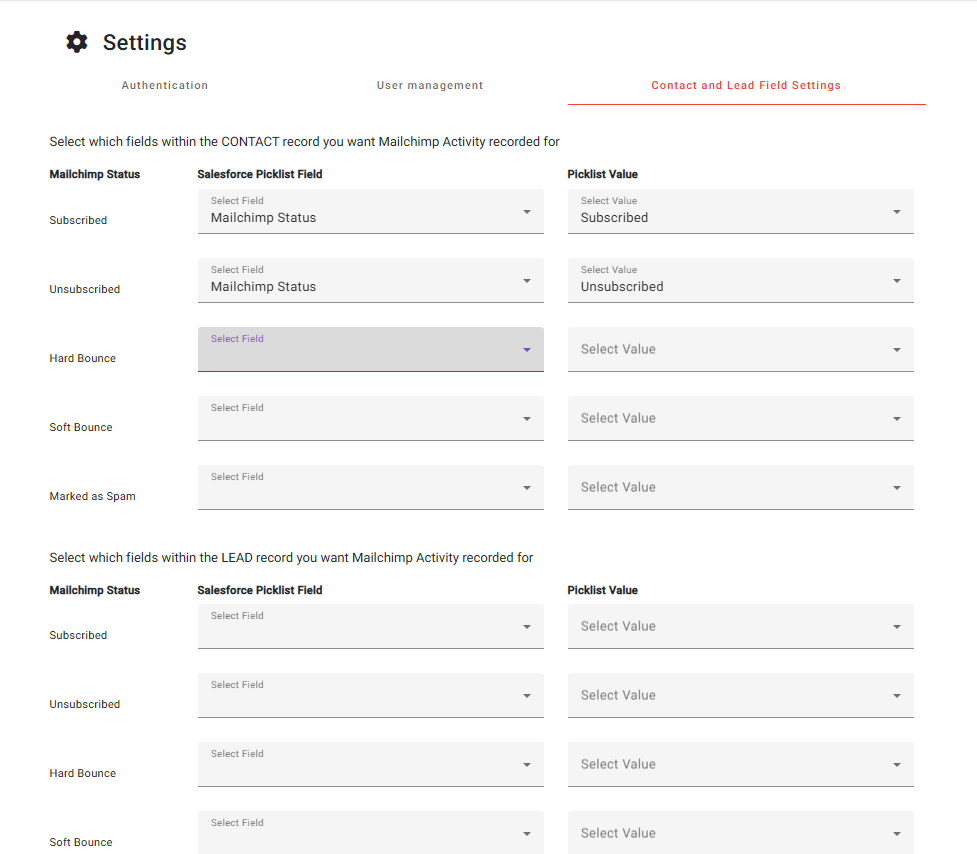
If you don’t already have a Contact/Lead field in place, please create a ‘Picklist’ based field with suitable values in Salesforce and ensure that it is attached Contact and Lead Page Layouts.
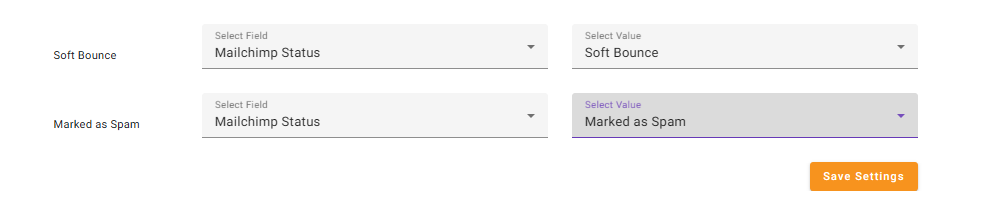
Once all the field have been populated, be sure to click on the ‘Save Settings’ button:
Running Your Processes
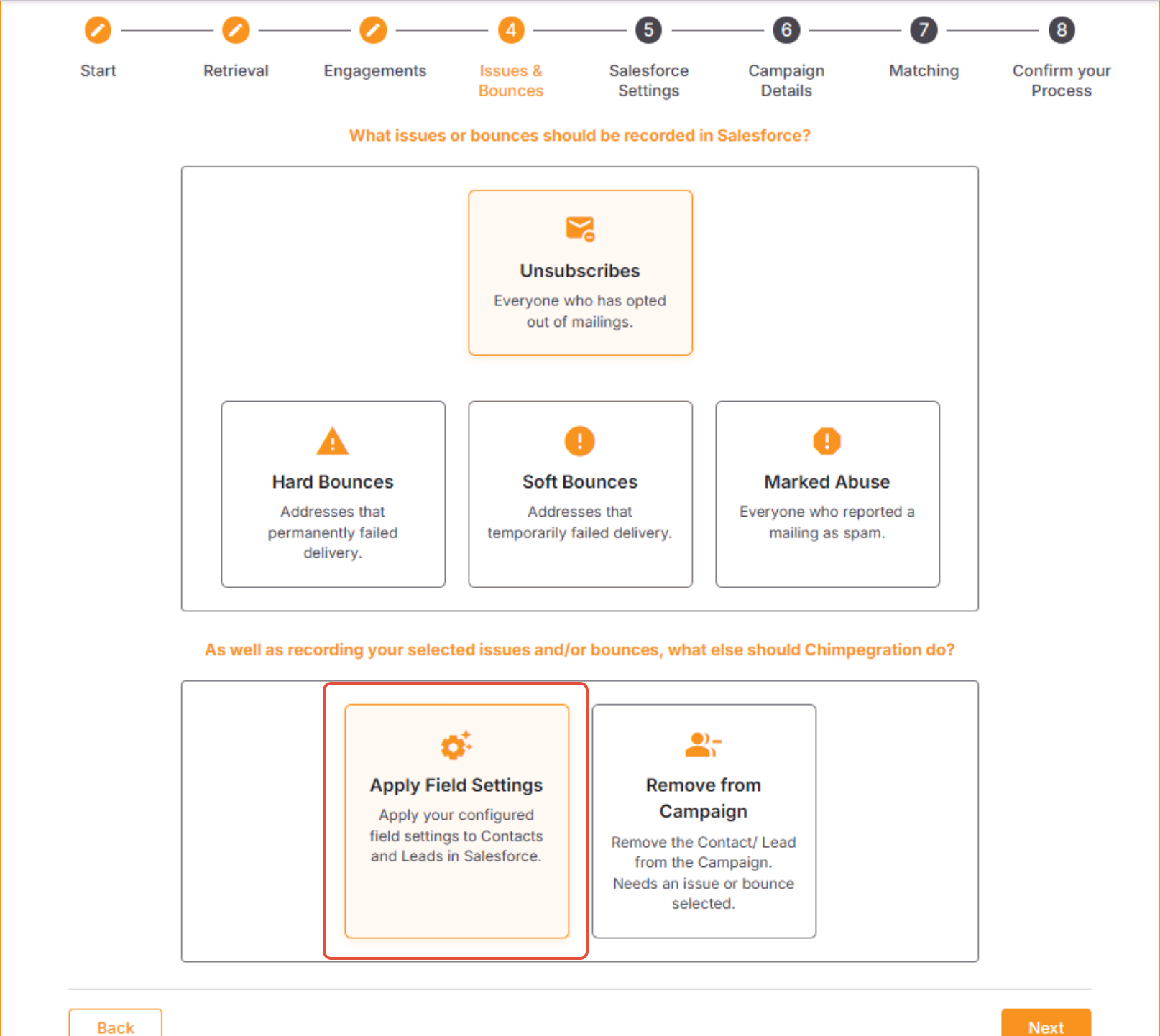
When running your Activity Manager processes, the Issues and Bounces section contains a pre-selected option of ‘Apply Fields Settings to Contacts and Leads in Salesforce’. This relates to these Contact and Lead Settings. If a record has a bounce or an issue, such as unsubscribing from your Mailchimp Audience, an Activity Manager process could be created to apply the appropriate Picklist Field and Value to the Contact/Lead record in Salesforce.
Your Salesforce Update processes will automatically apply the ‘Subscribed’ Status to Contacts and/or Leads.