

Skip to content
Zeidman Development
Zeidman Development
Zeidman DevelopmentZeidman Development
  • Home
  • About us
    • Newsletter
    • Contact
    • Blog
    • Careers
  • Products
    • Audit Trail
    • Chimpegration
    • Importacular
  • Services
    • Consulting
    • Customizations and Integrations
  • ZeidZone
    • Register
    • Lost Password
    • Log In
Search:
  • Home
  • About us
    • Newsletter
    • Contact
    • Blog
    • Careers
  • Products
    • Audit Trail
    • Chimpegration
    • Importacular
  • Services
    • Consulting
    • Customizations and Integrations
  • ZeidZone
    • Register
    • Lost Password
    • Log In

Application Management and Settings

Chimpegration for Salesforce User Guide

⌘K
  • Introduction and Signing Up
  • Getting Started
    • Fields to Review or Create
    • Trial Recommendations
  • Understanding Campaigns
  • Mailchimp Data Update
    • Creating an Ad Hoc (one off) Mailchimp Data Update
    • Creating a Scheduled Update to Mailchimp
  • Salesforce Data Update Process
    • Creating an Ad Hoc (one off) Salesforce Data Update
    • Creating a Scheduled Salesforce Update
  • Activity Manager Process
    • Adding an ad hoc (one off) process
    • Adding a scheduled process
  • View Results – Process Cards
  • Application Management and Settings
    • Template Manager
    • Authentication
    • User Management
    • Billing
  • Request More Information
  1. Home
  2. Docs
  3. Chimpegration for Salesfo...
  4. Application Management and Settings

Application Management and Settings

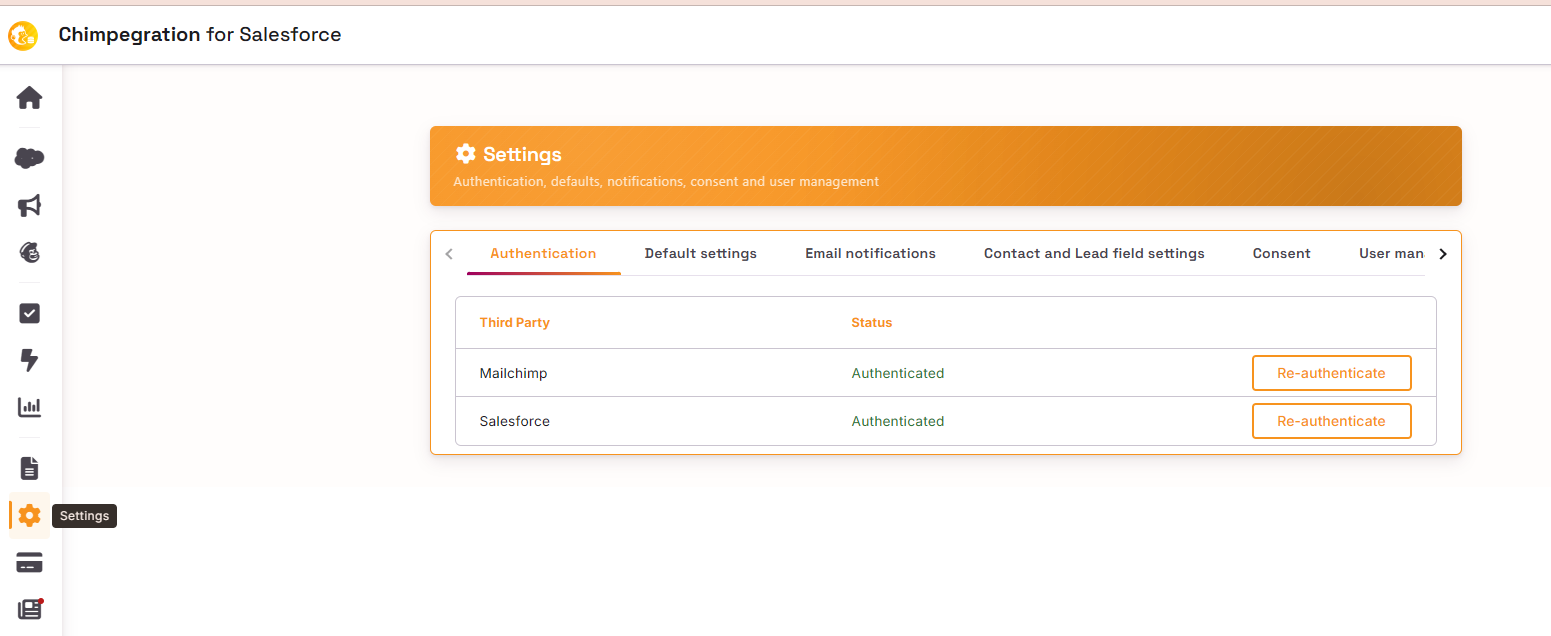
You can access the settings area in the left-hand side of dashboard. The Document Icon represents the Template Manager, the Cog icon represent the Settings options for Authentication and User Management; and the Credit Card icon represents the billing
Articles

  • Template Manager
  • Authentication
  • User Management
  • Billing

Doc navigation

← View Results - Process CardsRequest More Information →
©2026 Zeidman Development
  • Contact
  • Privacy Policy
  • FAQ
Privacy and Contact
Go to Top