

Salesforce Data Update processes allows you to bring in new sign ups as new Contact or Lead records, and/or update Contact and lead details as they are changed in Mailchimp across your merge fields.
There are three different Salesforce Data Update process options:
- Ad hoc, (one off) – manually triggered
- Scheduled – Set up a specific day and time for updates to be added to Salesforce
- Realtime – Process changes and new sign-ups instantaneously and automatically into Salesforce
Sync Contacts, Leads and Subscribers
From the homepage click on the Salesforce symbol on the left-hand sidebar. This will open up a new window where you are offered to create a New process or Copy from an existing Salesforce Data Update template
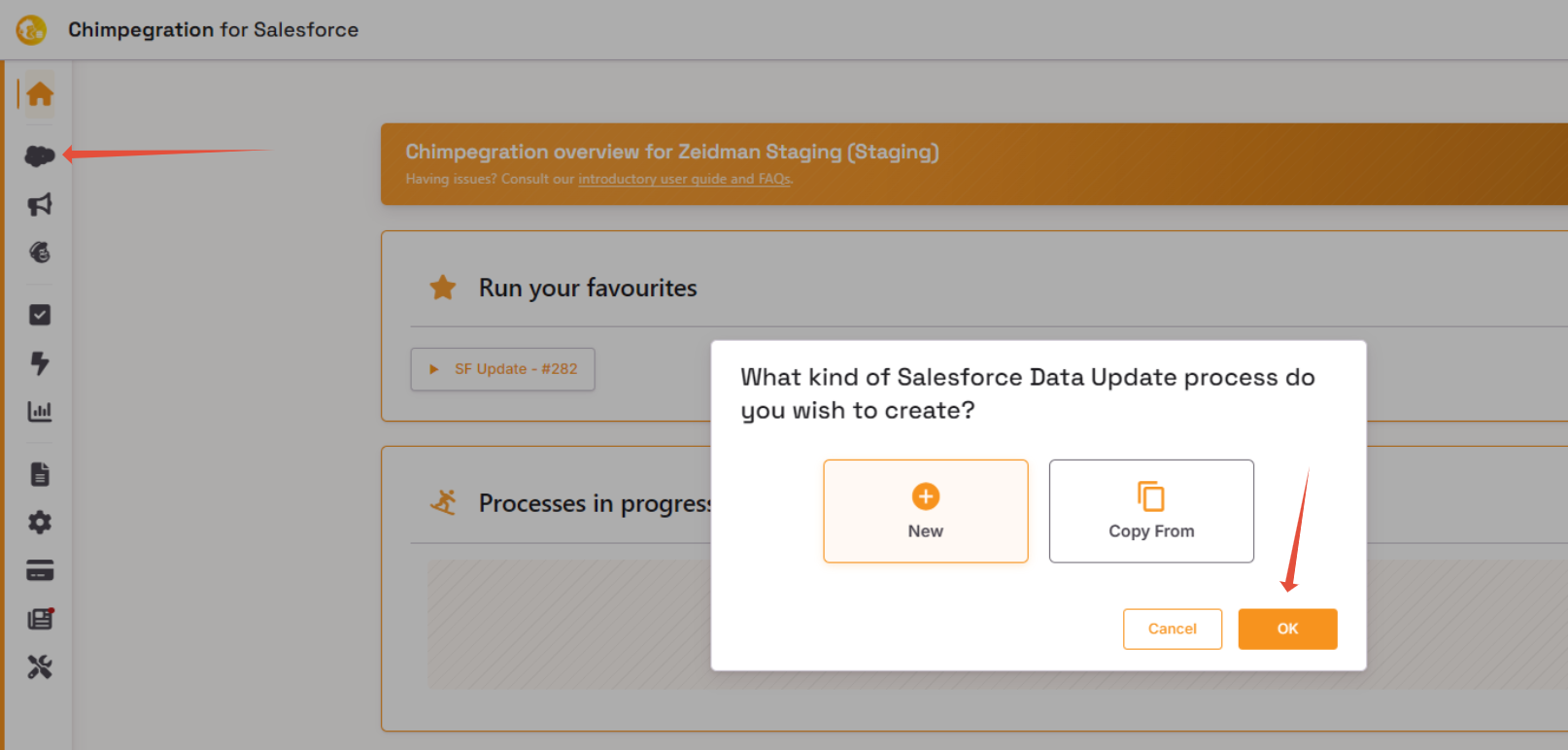
Then select ‘Ok’ to create a new process
You can edit, rerun or deactivate any existing templates by going to the ‘Template Manager’ area, indicated by the ‘Document’ Icon in the sidebar.