

Using a CSV or Excel file
You can import data into your RE NXT using a simple CSV or Excel file. The files should not contain any formulas and all applicable columns should have an understandable header without any blank columns between them. For your Excel file, if it has multiple worksheets when you attach it to your template or Import, you will be asked to choose which worksheet you want Importacular NXT to use.
Managing Data Sources
You can also connect to a number of online services (data sources) and import data from them directly into your RE NXT using Importacular NXT, instead of using a CSV or Excel file. In order for Importacular NXT to “talk” to these data sources it needs to know your Data Source’s API credentials. Once you have your Data Source’s credentials to hand, head to Manage your Data Sources, find the relevant source and click on ‘+Connect’. A pop-up will appear and ask you to fill in your API credentials.
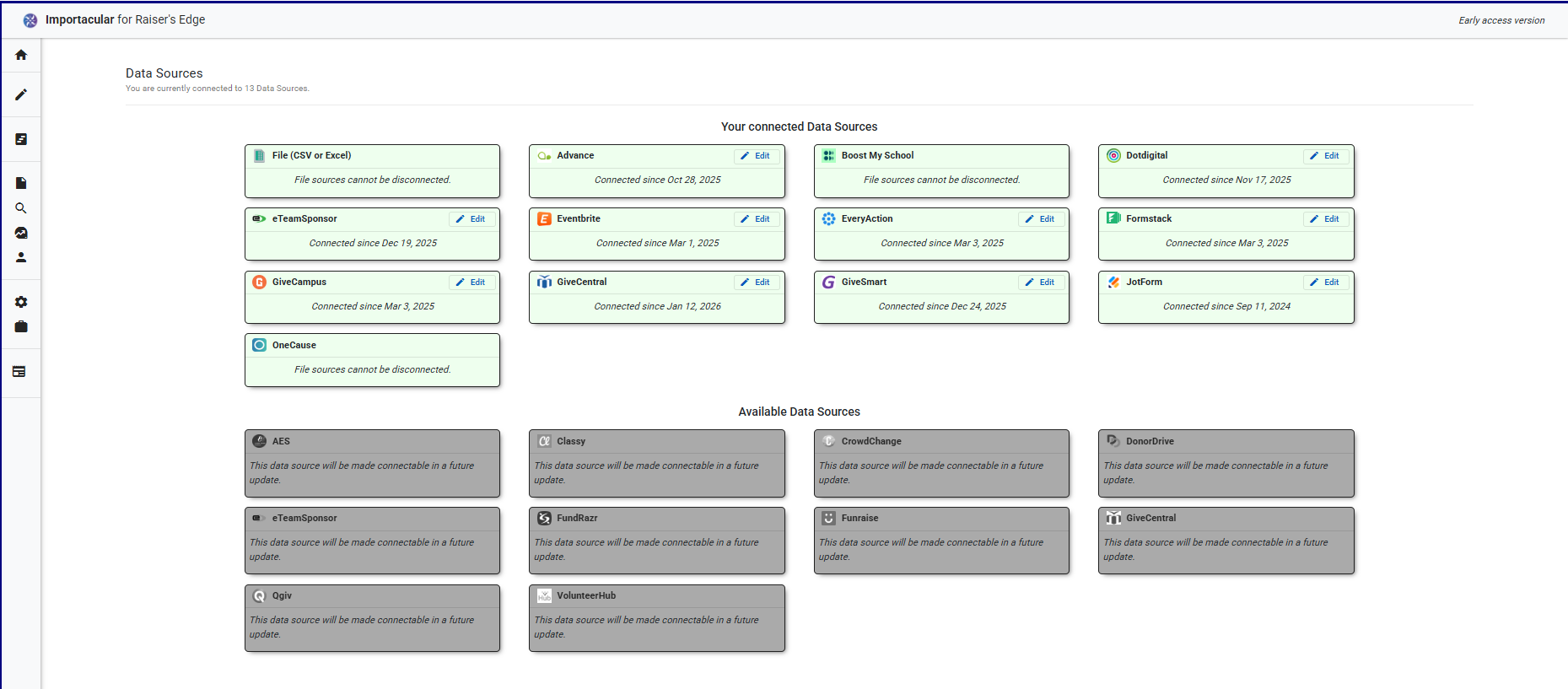
See each data source page (list below) for more information on what you can import and any services provided. Each page also contains a demo of the product working with that data source.
You can also take a look at our Data Source FAQs for a brief overview
- 4AGoodCause
- AES
- Advance
- Almabase
- Boost my School
- Classy
- Constant Contact
- Crowd Change
- Crowdrise
- Donor Drive
- Dotdigital
- eTeamsponsor
- Eventbrite
- Every Action
- Everydayhero
- Formstack
- Fundrazr
- Funraise
- Graduway
- Give Campus
- Give Central
- isams
- iwave
- JotForm
- JustGiving
- Kimbia
- Give Smart
- OneCause
- QGiv
- Volunteer Hub
- WeDidIt