
Options
The Constituent Data Destination offers a number of different Area Mappings: Alias, Consent, Constituent Code, Custom Field, Gift Aid, Name Format, Notes, Primary Addressee, Primary Salutations, and Solicit Code.
These Constituent Areas can be added to the Primary Constituent as well as relationships, participants, solicitor/canvassers and tributes (when those data destinations become available).
The mapping Areas of Constituent Code, Custom Field, Notes, and Solicit Code are hopefully self-explanatory. Whereas, the mapping areas of Alias, Consent, Gift Aid, Name Format, Primary Addressee and Primary Salutations are a little more involved. As such, please see below to find out more.
Alias
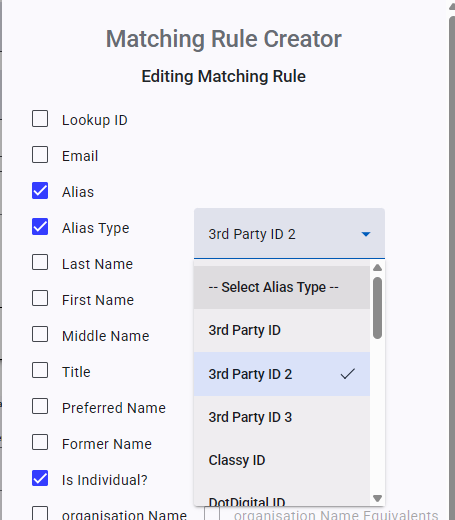
The Alias Area Mapping is very simple as it only offers two fields to map to (Alias Type and Alias Value). The Area setting are also pretty simple and straight forward too. What makes Alias worthy of further discussion is how it can be used with Record Lookups. Typical Aliases are former names, maiden names, alternative spellings, and ID numbers (old constituent IDs or ID numbers from 3rd party systems).
When you combine your Alias Mapping with Record Lookups, it make looking up records much more accurate and less prone to duplicate record creation.
The most common way of doing this is to map an Alias where it adds a 3rd Party’s record ID to a Constituent record. This can be useful when you use the same data source for multiple imports. Once a 3rd Party’s ID is stored within a Constituent Record’s Alias, Importacular can search of that ID number and the type of Alias it is. For example, if a Constituents has a 3rd Party ID of 123456 and you have given it the Alias Type of ‘3rd Party ID 2’, when looking up records in RE, Importacular will look for Aliases with the value of 123456. However, that value may not be unique within all Alias Records. The value 123456 might be on multiple Constituent records as an Alias. That is why we have allow you to also tell the Record Lookup to search for Alias Type too. This will make it is far more likely to find a singular record to match on.
Consent (Add New) & Consent (Update Supporting Details)
Due the nature of how Consents work in RENXT Webview, Consent records cannot be overwritten, but some fields can be updated. As such, we offer two Consent Area Mappings.
Consent (Add New) will be the most commonly used Consent Area Mapping as this allows you to map new Consents for your import. There aren’t any Area Setting options on what to do if a Consent matches, but there is an Area Setting on what to do if selected Consent field are blank.
Consent (Update Supporting Details) allows you to map the same fields as ‘Consent (Add New)’, but most are just to allow for trying to find the correct Consent record to update. The Fields that you can update are Consent Statement, Privacy Policy, and Source.
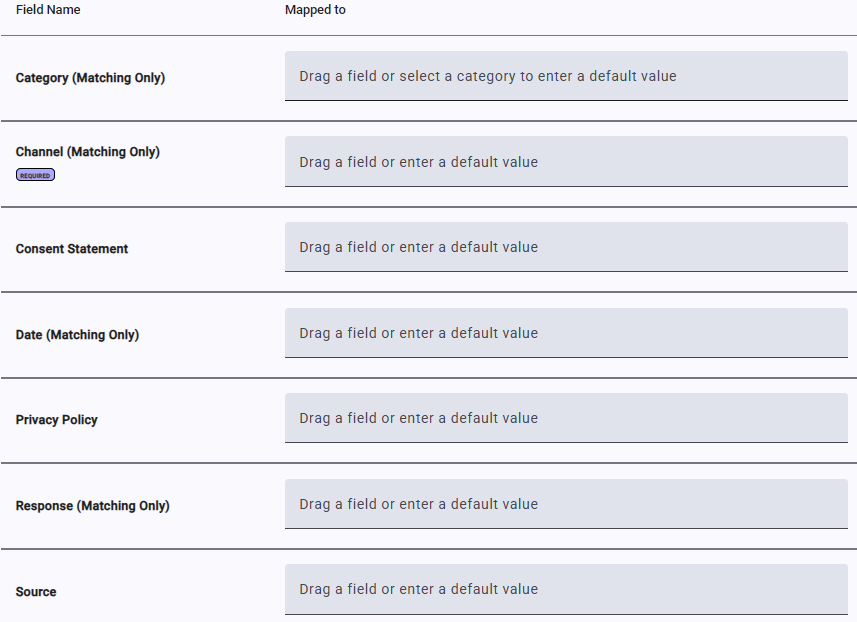
When mapping to the Response field from your data source, Importacular will accept a variety of ways in which Opt In/Opt Out/No Response could be presented without the need for a Data Transformation, such as Opt In, opt in, Opt in, Opt-In, OPT-IN, opt-in, OptIn, OPT IN, etc.
If your incoming data does not feature such values, offering something like Yes or No instead, or offers a blank value for Opt Out or No Response, then you will need to consider adding a Data Transformation.
Primary Addressee & Primary Salutations
Unlike Importacular Classic, Primary Addressee and Primary Salutations have their own Area Mappings in Importacular NXT. When creating a new template, these Area Mapping are included in the pre-mapped Areas and can be deleted if not needed.
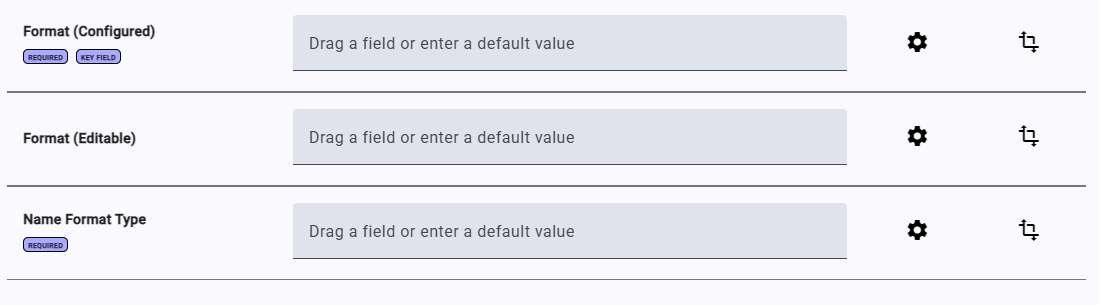
There are only two fields to chose from per Area Mapping: Format (Configured) and Format (editable). Format (Configured) allows you to select an appropriate option from your Addressee and Salutation Code Tables in RENXT. The way these options are presented highlights which component parts of a name will make up the Addressee/Salutation, making it much easier to understand which to select, based on the other name fields you have mapped in your template.
Format (editable) allows you to map a field from your data source or type in a default value.
Note: you can only map one out of the two fields.
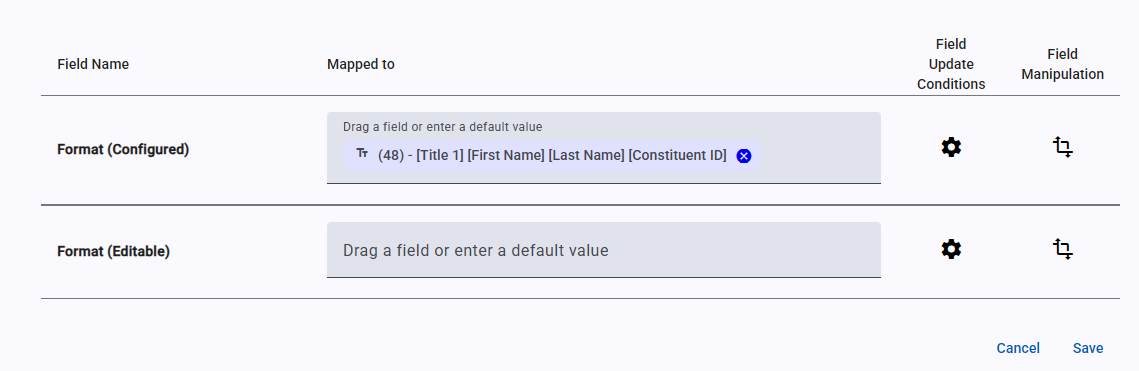
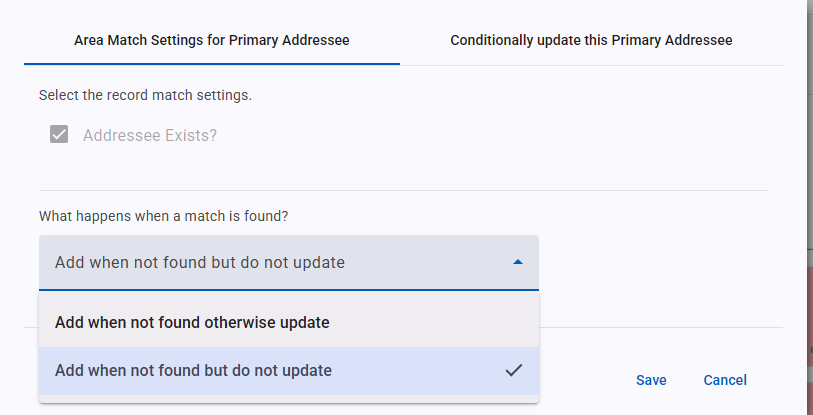
The Area Settings for Primary Addressee and Primary Salutations allow you to set whether a New Addressee/Salutations should overwrite an existing value or not.
Name Format
The Name Format Area Mapping allows you to add additional Addressees and Salutations. As well as providing you the option to map an editable Addressee/Salutation Format or a configured Format, just like with Primary Addressee and Salutation Area Mapping, it also allows you to set the type of Naming Format the Addressee/Salutation should take.