

The Participant Data Destination enables you to import Participation records along with a host of associated Area Mappings. This data is reflected both on the Event record as well as the Constituent record and can also link Participation data to new gifts.
When you drag the ‘Participant’ Area over to a Constituent Area Mapping (the Primary Constituent or any other Constituent Area, like a Individual Relationship), an additional ‘Event’ Area Mapping accompanies it. This ‘Event’ Area is where you populate the Event data, for where the Participant record will exist. Note the red-dotted line to indicate the relationship between the Participant record and the Event record.
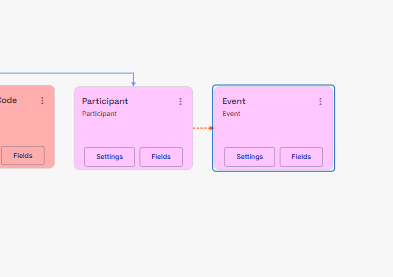
The incoming Event does NOT need to exist in your RE NXT prior to your import. If the Event is new to your RE, you can choose to have Importacular create the Event via the Event’s Area Settings.
Guests
Importacular NXT offers you two different ‘Guest’ Options: Constituent Guest and Named Guest. Both can be added directly to the relevant Participant Area Mapping.
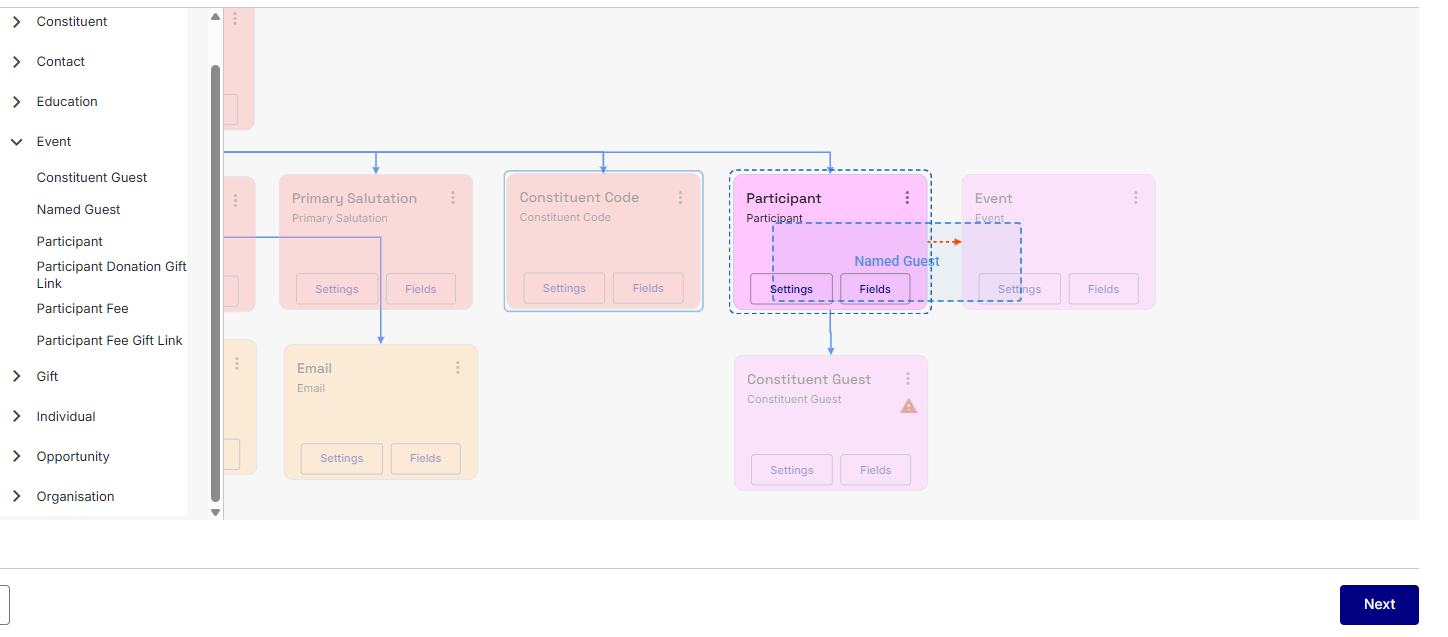
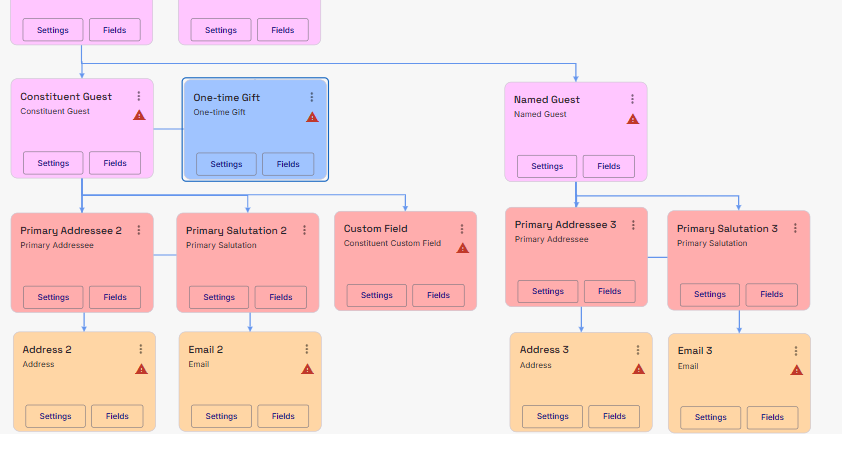
Constituent Guests allows you to add/update constituents as guests to the main participant record. Importacular treats Participant Guests as any standard constituent, with all the fields you would expect to see for Constituent as well as be able to attach any relevant Data Destination areas like Constituents areas, Contacts (Address, Email, etc.), Actions, Relationships and Gifts.
Named Guests allows you to add/update non-constituent guest to the main participant record. Since these are non-constituents, fewer fields and Data Destination areas are available to attach to the record.
Better Matches
To assist in getting better matches for Guests, when you get to the Record Lookup selection step, you will be asked to apply a Record Lookup for each guest mapping: A Constituent Record Lookup for Participant Guests and a Non-Constituent Relationship Record Lookup for Named Guests.
Area Settings
There are different Area settings across the Participant Area Mappings
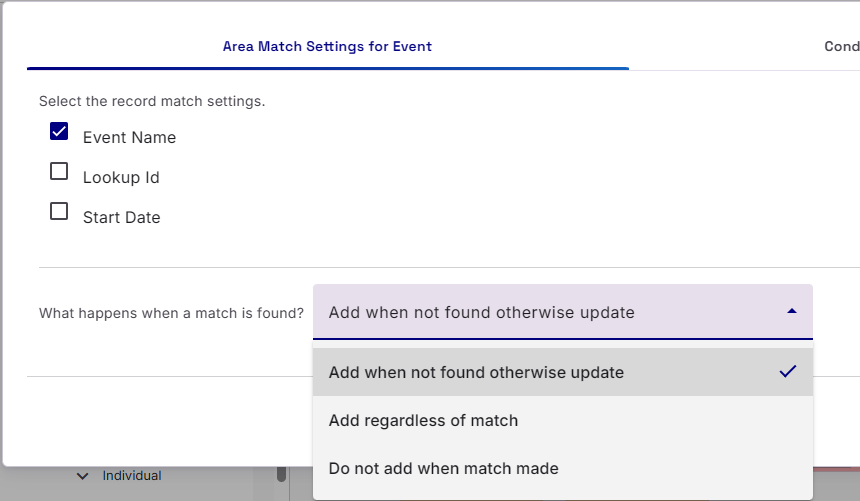
Event Area Settings
These settings allow you to select how Importacular should find and Event match and what to do when a match is found:
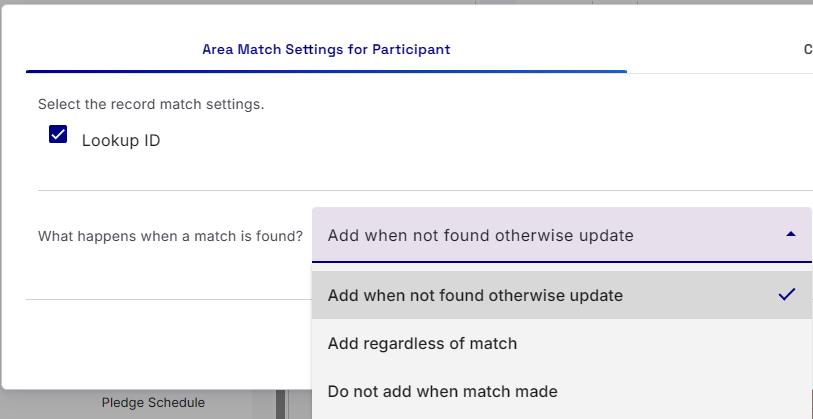
Participant Area Settings
Since the Participant Area mapping is associated with the Constituent it is attached to, there are fewer options, as it only offers the regular ‘Conditional Update’ setting and what to do with the Participant record when a match is found.
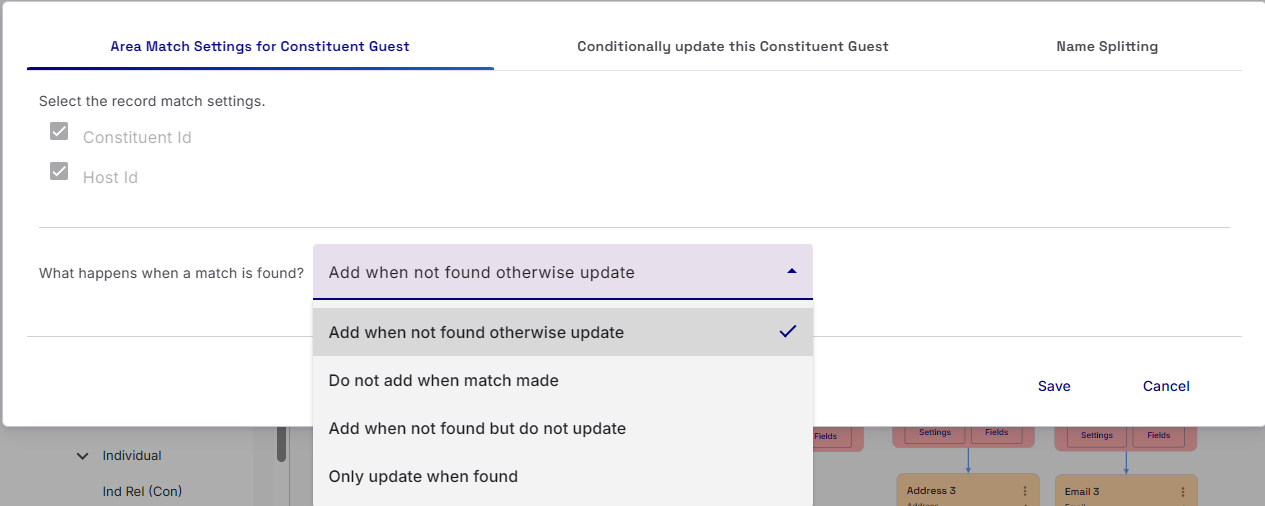
Participant Guest Area Settings
The Area Settings for Participant Guests offers more options for what to do when a match is made.
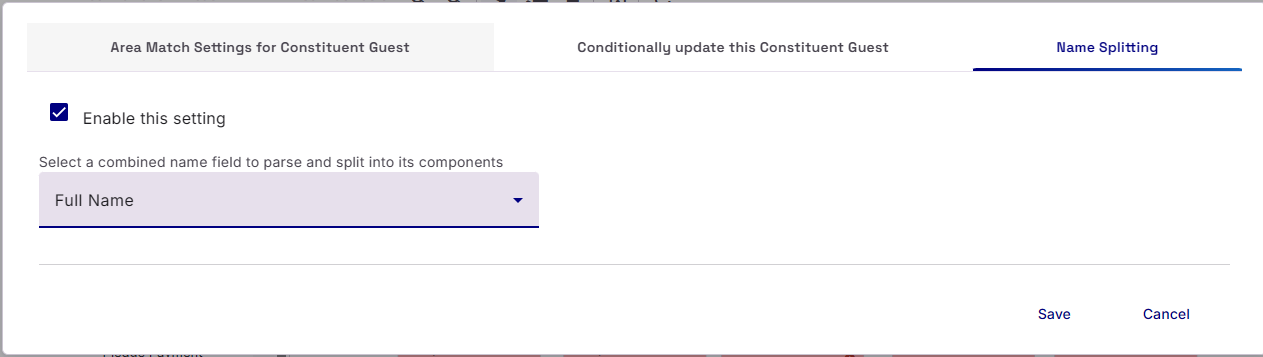
Additionally, we also offer a Name Splitting setting. This is very useful if your data source only contains the full name of the Guest in a single field. This setting will split the name up into it’s component parts (Title, First Name, Middle Name, Last Name, Suffix) and then presenting them at the bottom of the Field mapping section with a §

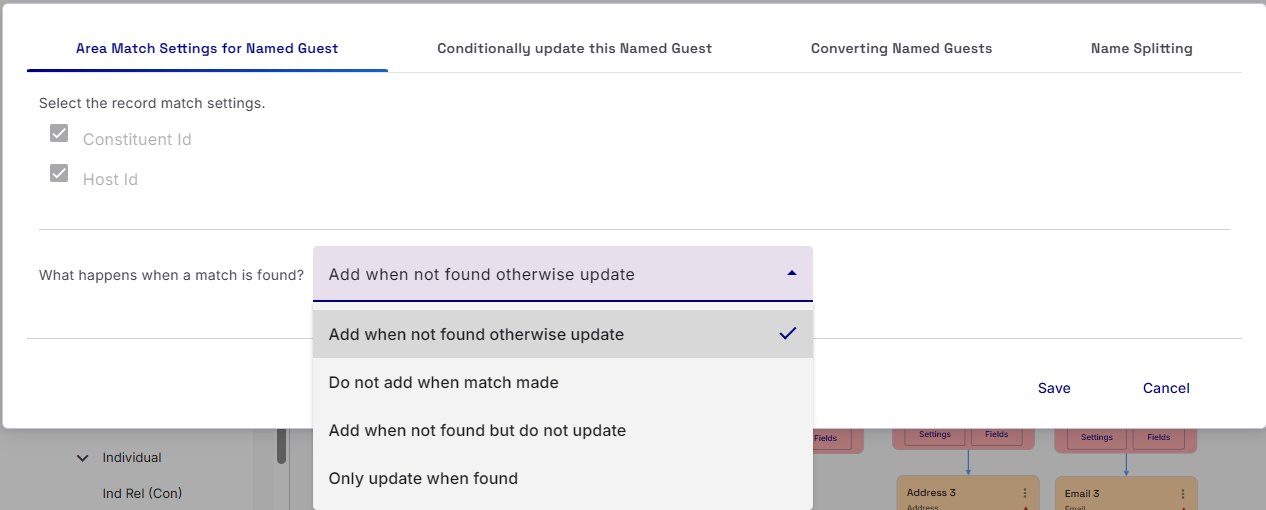
Named Guest Area Settings
The Area Settings for Named Guest offers more options for what to do when a match is made.
Additionally, we also offer a Name Splitting setting. This is very useful if your data source only contains the full name of the Guest in a single field. This setting will split the name up into it’s component parts (Title, First Name, Middle Name, Last Name, Suffix) and then presenting them at the bottom of the Field mapping section with a §
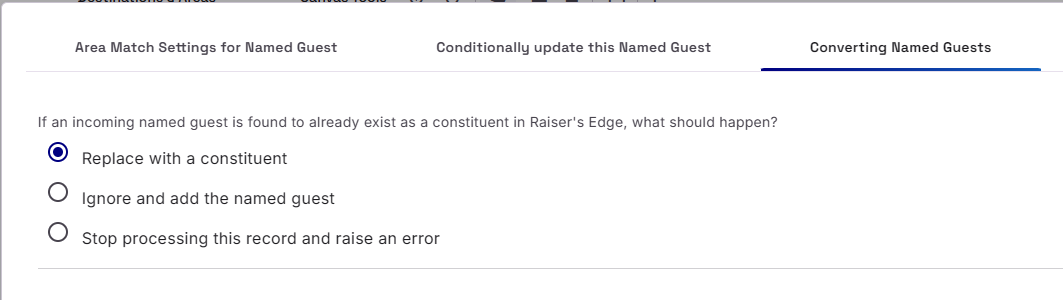
Finally, Named Guests Area Settings provides you with the options of what to do when the incoming Named Guest is found to be an existing Constituent.
Adding Donations and Fees
To find out more about adding donations and fees to a Participant Records, please visit this section of the User Guide: https://www.zeidman.info/docs/importacular-nxt-user-guide/mapping/participant-event-mapping/participant-fees-and-donations/