

Importacular NXT allows you to setup default templates, this includes being able to attached pre-built templates that Zeidman Development provide.
Found within the Settings menu, under the ‘Default Template’ tab, you can choose the default mapping layout your organisation uses for each data source.
For Data Sources that have multiple ‘activities/processes’, thus require multiple templates (one for each activity/process), we have created ‘Scenarios’ tailored to that Data Source. This allows to select one of Zeidman Developments’ pre-built templates or attach one of your own per scenario.
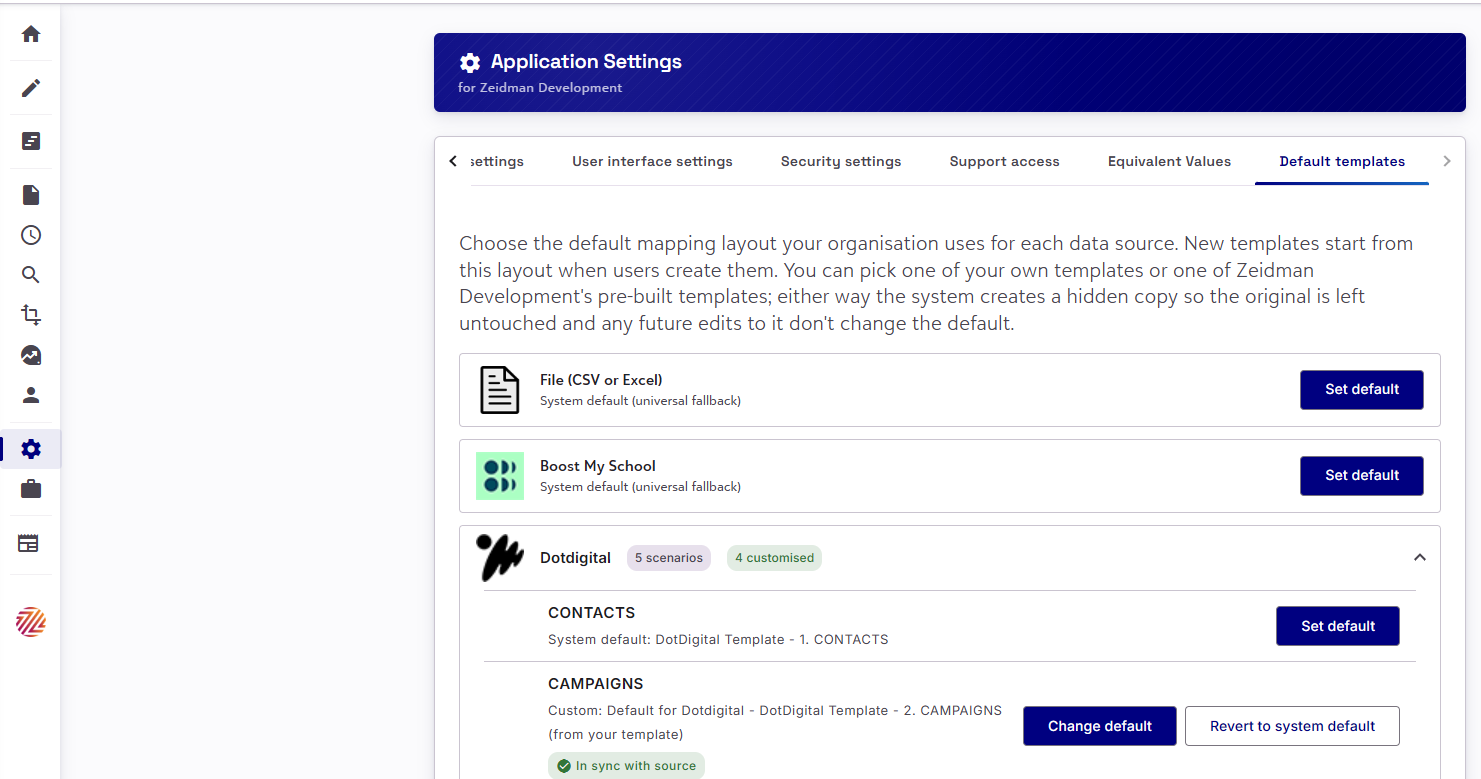
To attach a template to a Data Source or a Data Source’s Scenario, click on ‘Set default’. This will open up a pop-up window where you can choose form a list of appropriate templates:
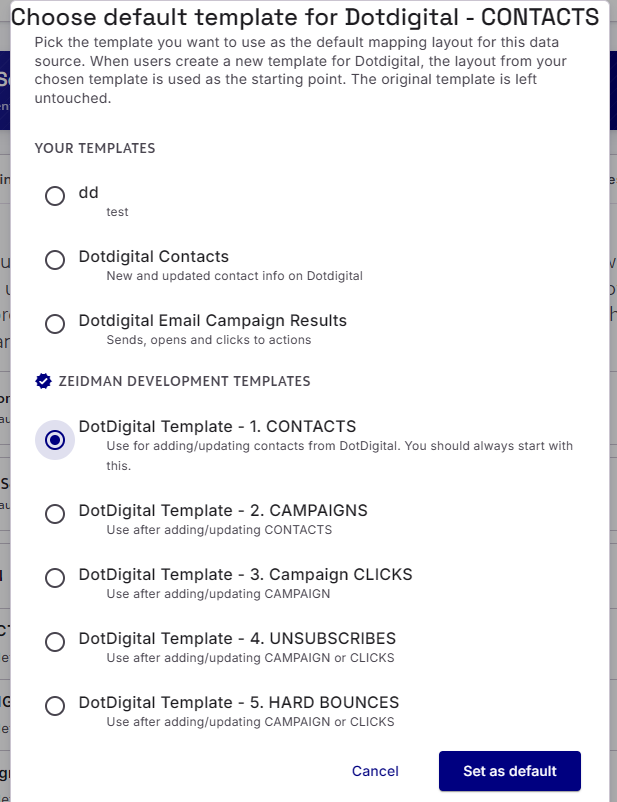
After you have assigned your template, you have additional options to choose a different template or revert to the universal system default option.
Once a template has been assigned as the default template, they will appear as an Pre-built template option when creating a new template within the Data Source Criteria step:
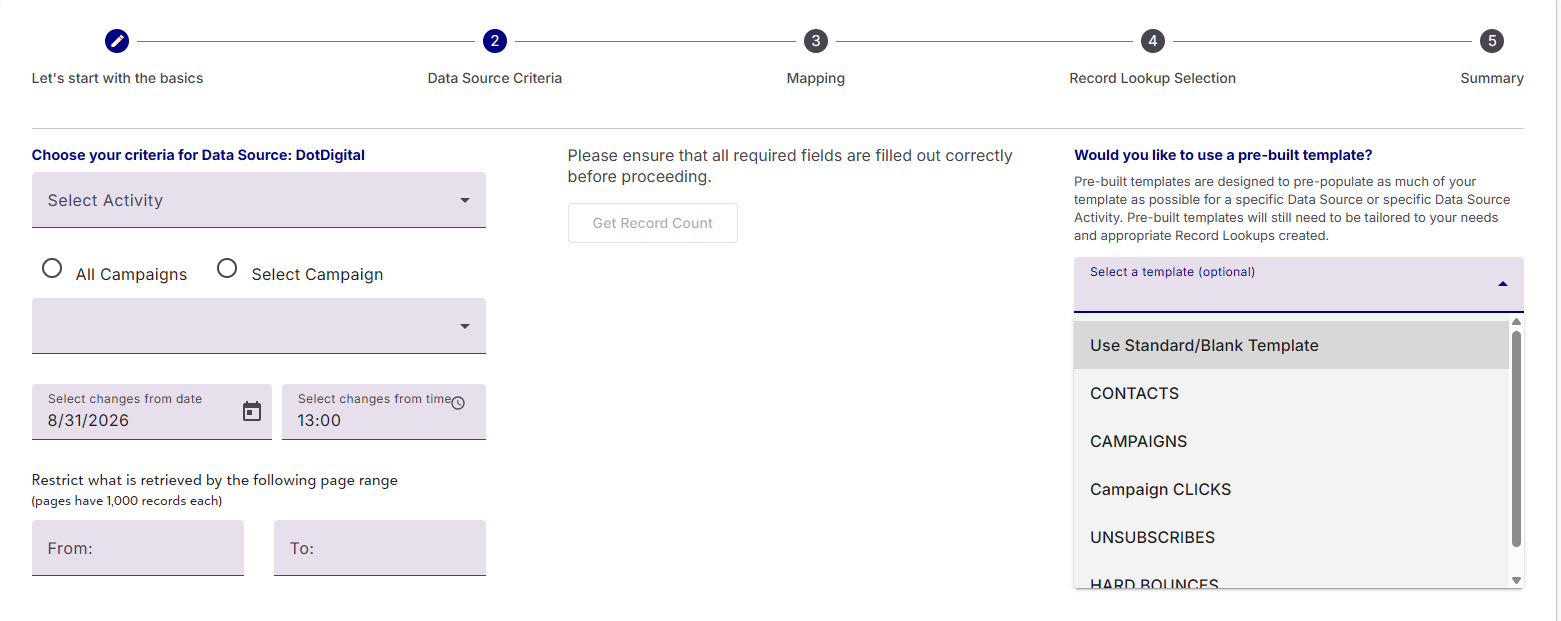
If you chose to use a pre-built template, it will pre-populate your new template with all the area and field mappings, including area settings, field update conditions and field manipulations. We recommend that you still adjust your template to meet your needs. You can edit and make any changes you wish to this template and it will not override the pre-built template.
Please Note: Default/Pre-built templates do not include their own Record Lookups, so you will need to build your own.