
When adding or updating Constituent relationship record, we provide a number of different area Settings to help you manage several scenarios. With the relevant Relationship Area, clicking on ‘Settings’ presents a popup with several tabs to consider.
Area Matching is blank as there isn’t anything relevant to consider here (this will be done your Record Lookups).
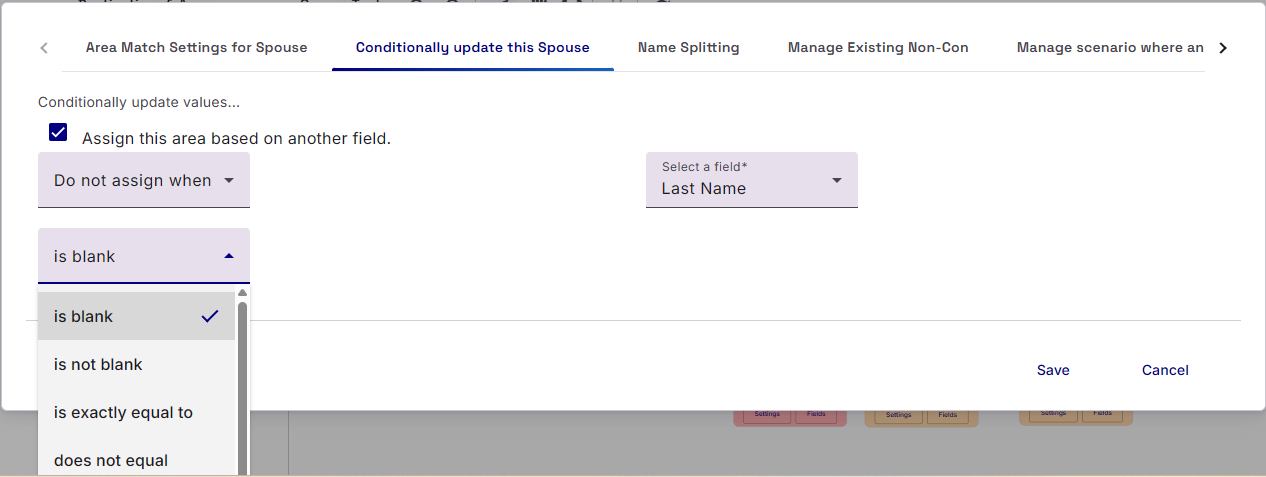
Conditional Update this [relationship]
Here you can choose to add/ignore the whole relationship based on the value of another field in your Data Source. The feature is written in plain English to help you apply the right course of action.
Name Splitting
Raiser’s Edge and Importacular require that your Constituent and Non-Constituents have a name. These are split in to their component parts: Title, First Name, Middle Name, Last Name, Suffix. However, if your data source does not provide a name in this format, but containing a data subject’s full name within a single field, then the Name Splitting tab will help. Here you can select the data source field that contains the Full Name and Importacular will automatically split up the name and present them as separate fields to map.
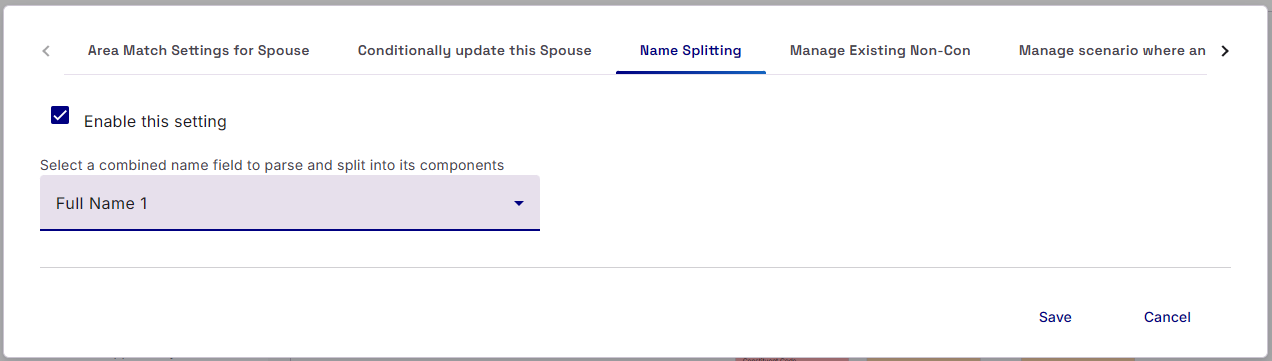
These separate, generated, Name fields will be added to the bottom of your Data Source fields in the relationship Field mapping page, with the Name of the original Field that was split, the Name component it represents and a §.

When adding/updating Constituent Relationships when Non-Constituent Records exists
For Constituent Relationship, we provide three additional Area Setting tabs, each one aimed at address three common scenarios when your Record Lookups also find a suitable non-constituent relationship on the attached main record (the record you are trying to add a relationship to)
Manage Existing Non-Con (scenario 1)
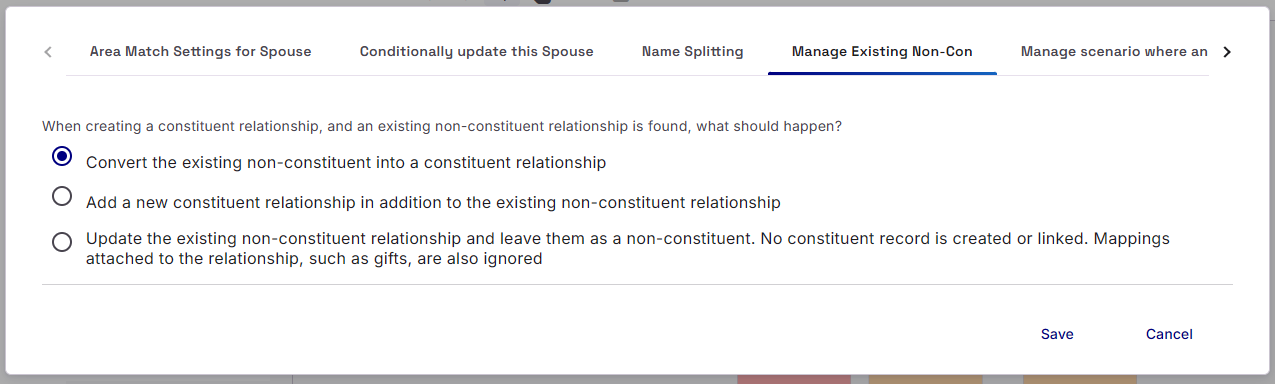
When seeking to add a NEW Constituent Relationship, but a suitable matching Non-constituent record is present, what should Importacular do:
- Should Importacular ‘Convert the existing non-constituent into a constituent relationship’. This is the default setting.
- Should Importacular ‘Add a new constituent relationship in addition to the existing non-constituent relationship’. This may lead to a Constituent Relationship and a Non-constituent relationship both being presented on the Main record’s Relationship tile that appear to be identical
- Should Importacular ‘Update the existing non-constituent relationship and leave them as a non-constituent. No constituent record is created or linked. Mappings attached to the relationship, such as gifts, are also ignored‘
Manage scenario where an unrelated Con and a Non-Con exist (scenario 2)
When seeking to add a NEW Constituent Relationship, a suitable matching Constituent record is found, HOWEVER, this Constituent is not linked as a relationship to the main record you are trying to add a relationship to BUT there is also a suitable matching Non-constituent record on the main record, what should Importacular do
- Should Importacular ‘Leave the existing non-constituent relationship as it is, and add the constituent as a separate relationship’? This may lead to a Constituent Relationship and a Non-constituent relationship both being presented on the Main record’s Relationship tile that appear to be identical
- Should Importacular ‘Remove the existing non-constituent relationship and link the constituent instead. What survives can be decided below. The relationship is permanently deleted from Raiser’s Edge, although the related record itself is not’? This is the default settings and opens ups more options underneath (options a, b and c in this guide)
- Should Importacular ‘Update the existing non-constituent relationship and leave them as a non-constituent. No constituent record is linked. Mappings attached to the relationship, such as gifts, are also ignored’
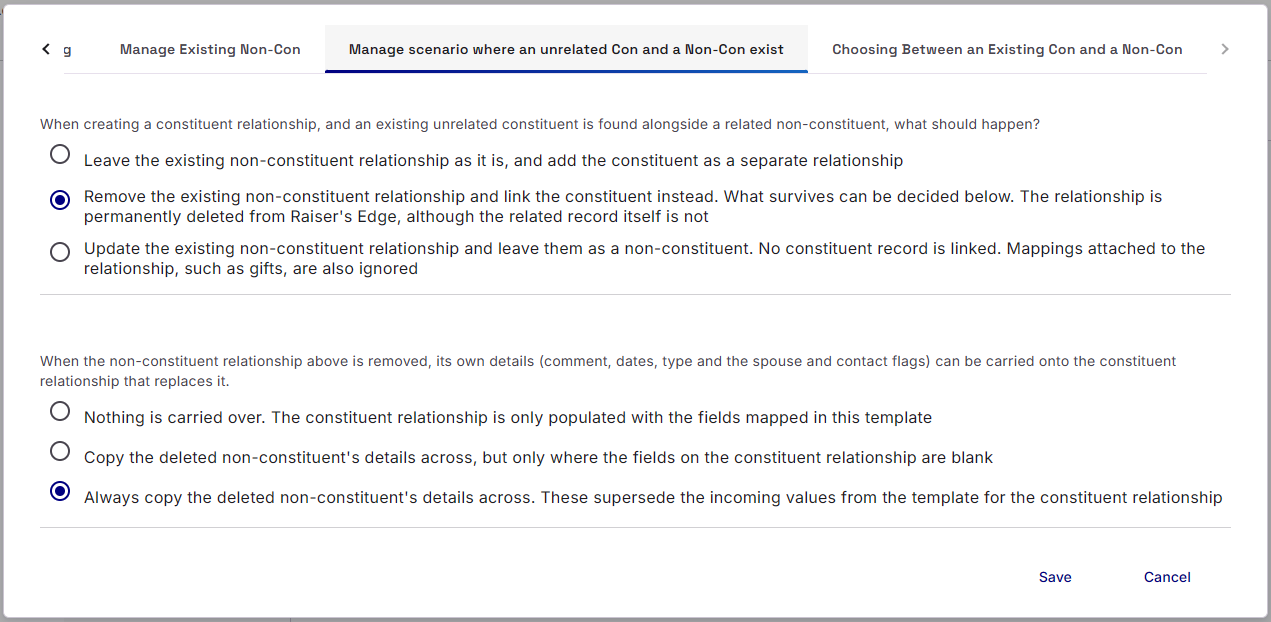
If you choose option 2, then the following associated options are made available to you that allow you decide what aspects of a non-constituent’s record are preserved or not.
a. Nothing is carried over. The constituent relationship is only populated with the fields mapped in this template
b. Copy the deleted non-constituent’s details across, but only where the fields on the constituent relationship are blank
c. Always copy the deleted non-constituent’s details across. These supersede the incoming values from the template for the constituent relationship.
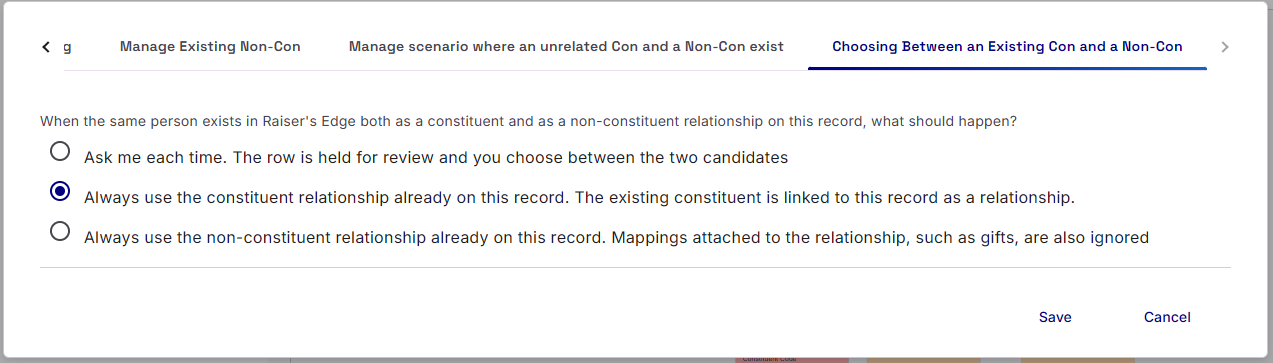
Choosing Between an Existing Con and a Non-Con (scenario 3)
When seeking to add/update a Constituent Record, BUT a suitable matching Constituent Relationship AND a suitable matching Non-Constituent are both found on the main record you are trying to create a relationship to, what should Importacular do to help you on the Manage Matches screen.
- Ask me each time. The row is held for review and you choose between the two candidates
- Always use the constituent relationship already on this record. The existing constituent is linked to this record as a relationship.
- Always use the non-constituent relationship already on this record. Mappings attached to the relationship, such as gifts, are also ignored
None of these option will be able to
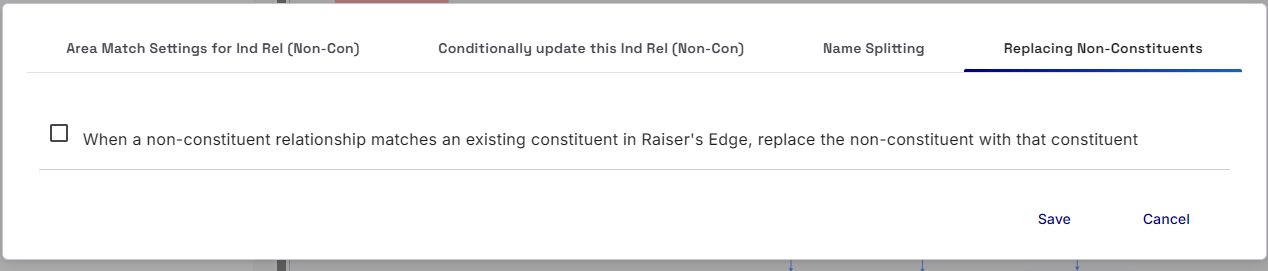
When importing non-constituent records
If you are importing non-constituent records and your Record Lookups identify a suitable matching constituent, then we provide you with the option to attach the Constituent record as a relationship instead of adding a non-constituent relationship.