

Once you have a Gift mapped, you can then attach a Soft Credit or a Fundraiser Credit to it. To do this, there are three options main options to consider.
Via the Gift Area Settings
Within the Gift’s Area Settings, on the ‘default’ tab there are two ‘Credited’ options to consider: Automatically add default soft credits? and Automatically add default fundraiser credits?
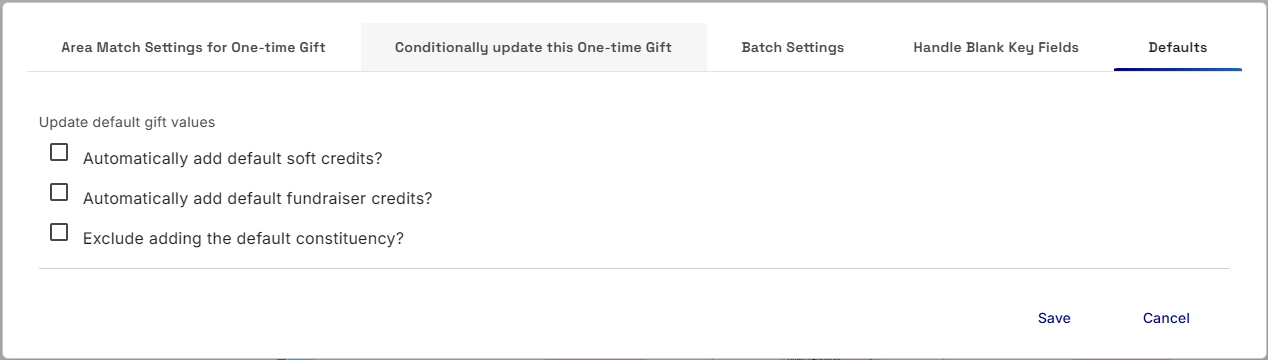
These are useful for when a Relationship and/or a Fundraiser already exists on the Record mapped to the Gift in question. If those Relationship or Fundraiser record have the ‘Automatically soft credit this xxx to gifts’ checked in RE, then you have set the Gift Area to honour option.

Via Soft Credit by Link
Within the Destination and Area section of the Template, under Gifts, there is a ‘Soft Credit by Link’ option. Use this when you have also mapped a Relationship and wish to link the Gift to the Relationship. Once selected, click on the relevant Gift and then head to the relevant Relationship, you will see a purple dotted line appear. On you click on the Relationship, the Soft Credit Link ‘pill’ will appear.
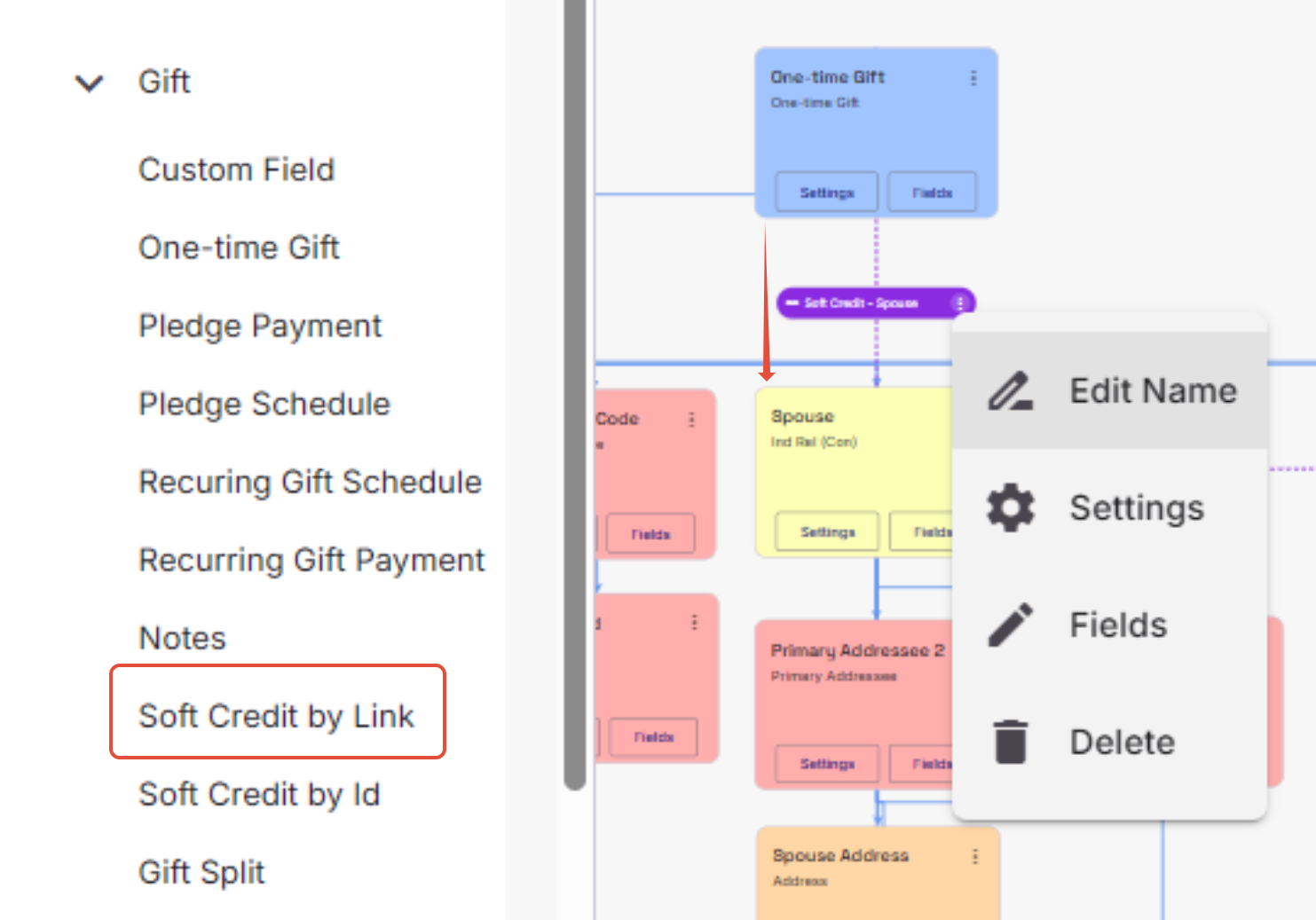
On the ‘Pill’, there are three stacked dots. Selecting this opens up several option. Edit Name and Delete are hopefully self-explanatory. If you click on Fields, you will be asked to map the ‘Credited Amount’.

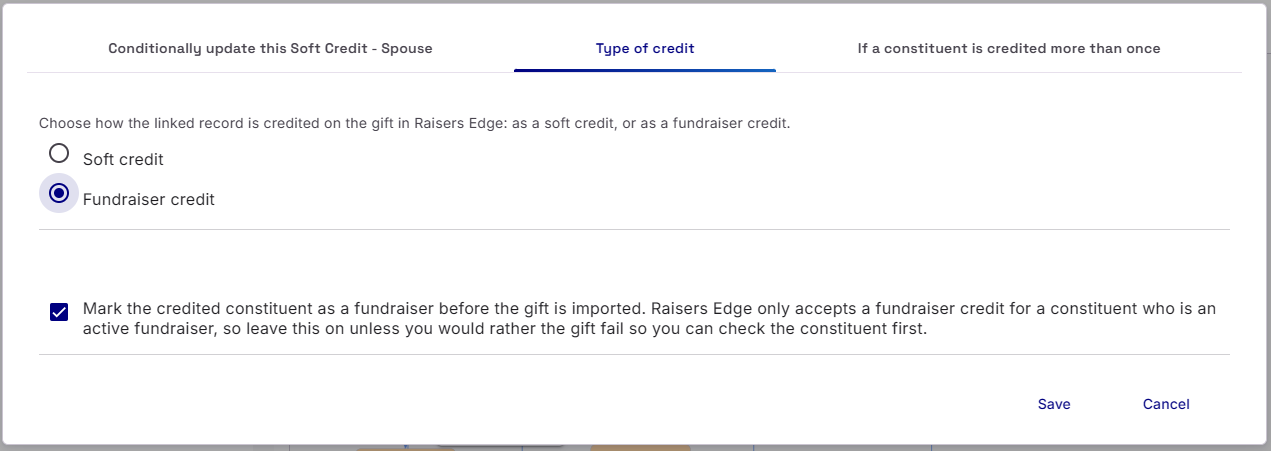
If you select Settings, you have a number of Link Area Settings to consider. Under Type of Credit, you can choose whether Credited Link is a Soft Credit or a Fundraising Credit. If you select Fundraiser Credit, you are then presented with another option. If the relationship you have linked to is not already marked as a Fundraiser, you can opt to make them a Fundraiser so that the Credit can be applied. If you uncheck the option, the Gift will fail in order to you to manage them separately.
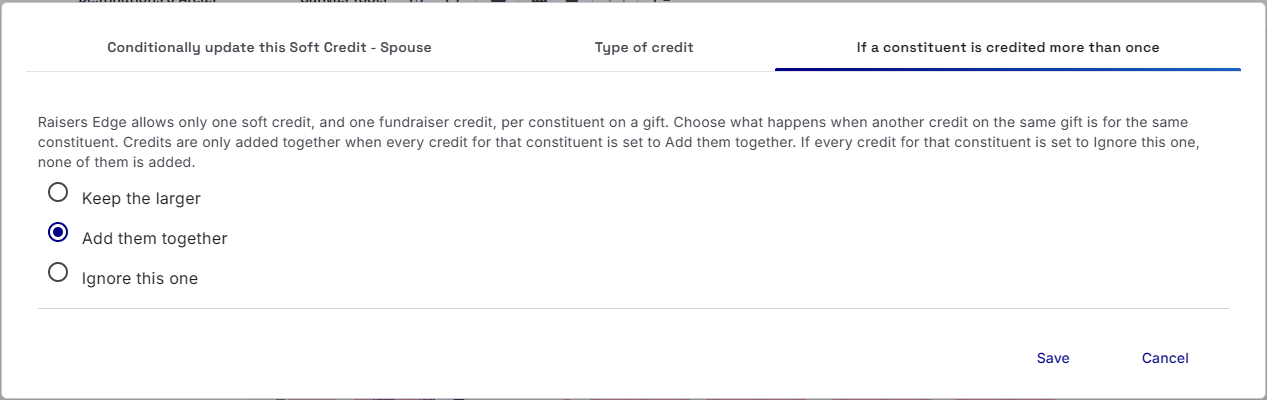
Raisers Edge allows only one soft credit, and one fundraiser credit, per constituent on a gift. Under If a constituent is credited more than once, you choose what happens when another credit on the same gift is for the same constituent. Credits are only added together when every credit for that constituent is set to add them together. If every credit for that constituent is set to Ignore this one, none of them is added.
Via Soft Credit by ID
Within the Destination and Area section of the Template, under Gifts, there is a ‘Soft Credit by ID’ option. Use this when you don’t have mapped a Relationship, but are in possession of a Lookup ID or System ID of the record that you wish to soft credit/Fundraiser Credit. Soft Credit by ID is a standard Area Mapping, so drag the area on to the Canvas and the Gift you want to connect with.
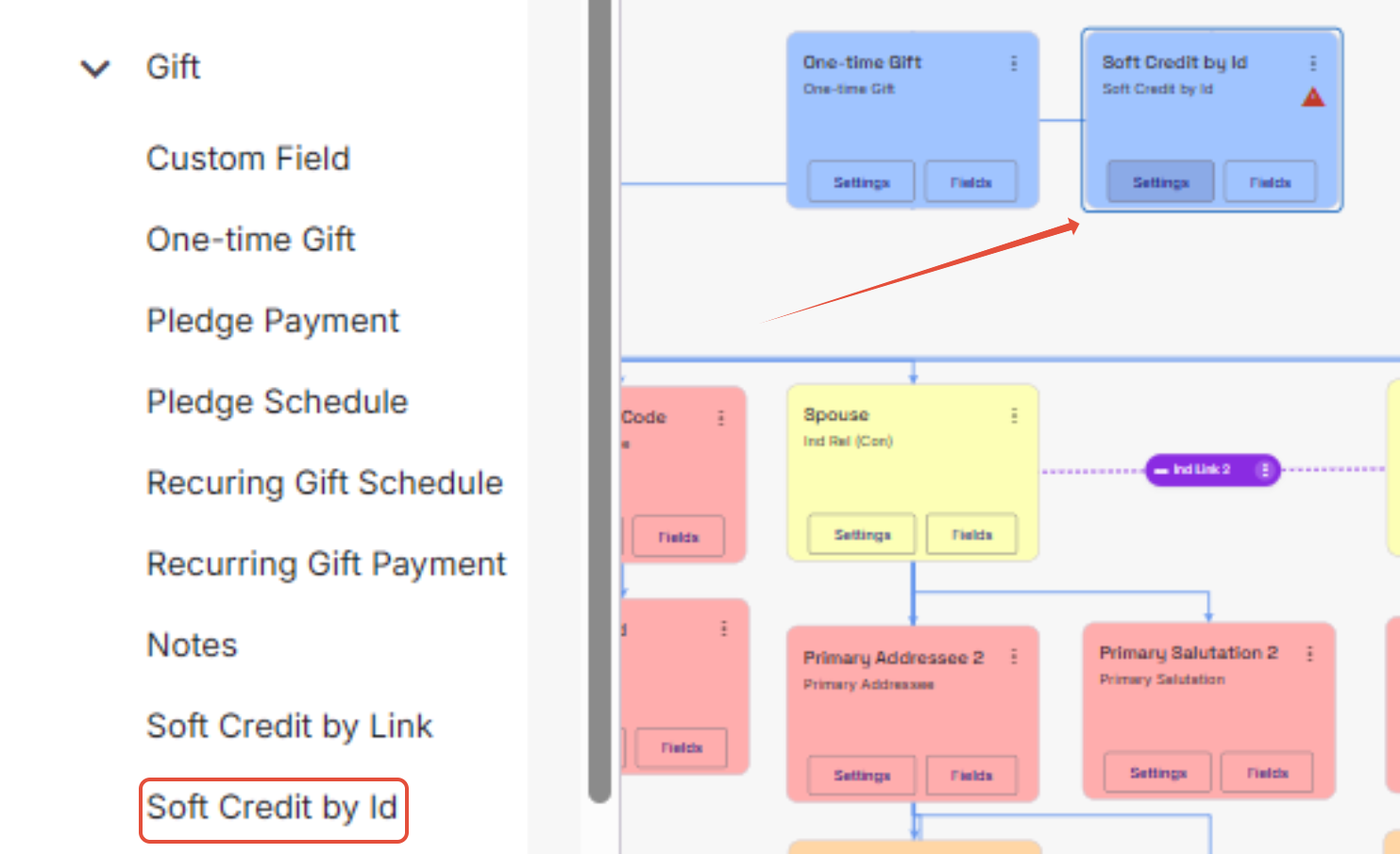
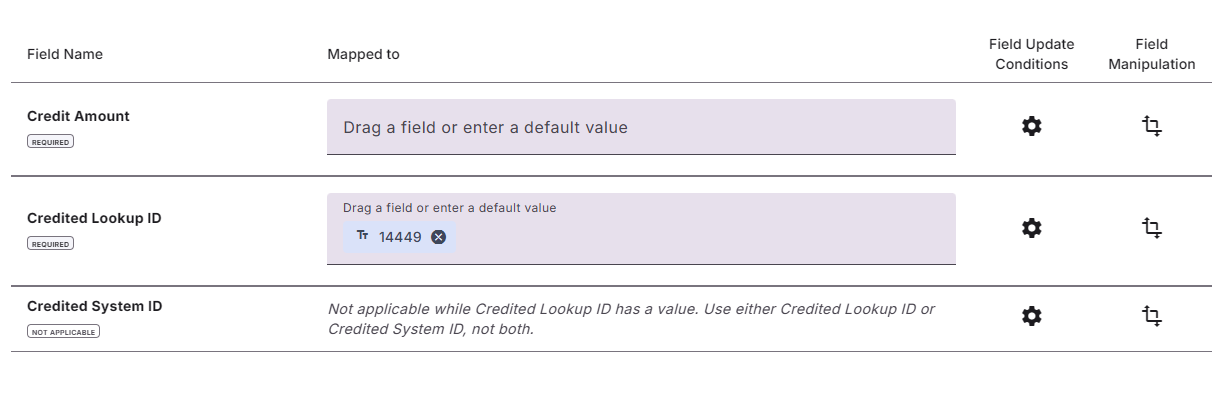
If you click on Fields, you will be asked to map the ‘Credited Amount’ as well as with the Credited Lookup ID or the Credited System ID. Mapping to either Lookup ID or System ID will cancel the other one out
If you select Settings, you have a number of Link Area Settings to consider. Under Type of Credit, you can choose whether Credited Link is a Soft Credit or a Fundraising Credit. If you select Fundraiser Credit, you are then presented with another option. If the relationship you have linked to is not already marked as a Fundraiser, you can opt to make them a Fundraiser so that the Credit can be applied. If you uncheck the option, the Gift will fail in order to you to manage them separately.
Raisers Edge allows only one soft credit, and one fundraiser credit, per constituent on a gift. Under If a constituent is credited more than once, you choose what happens when another credit on the same gift is for the same constituent. Credits are only added together when every credit for that constituent is set to add them together. If every credit for that constituent is set to Ignore this one, none of them is added.