
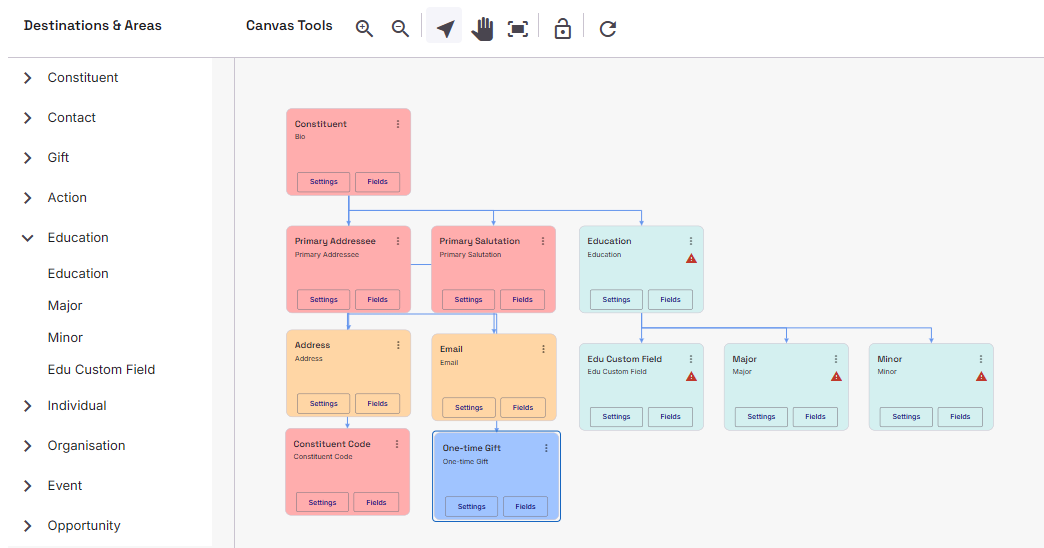
The Education Destination works like any other destination, where you drag and drop the relevant Mapping area onto a relevant Constituent or Non-constituent Area mapping. Once in place you can apply Education Custom Fields as well as Major/Minor area mappings.
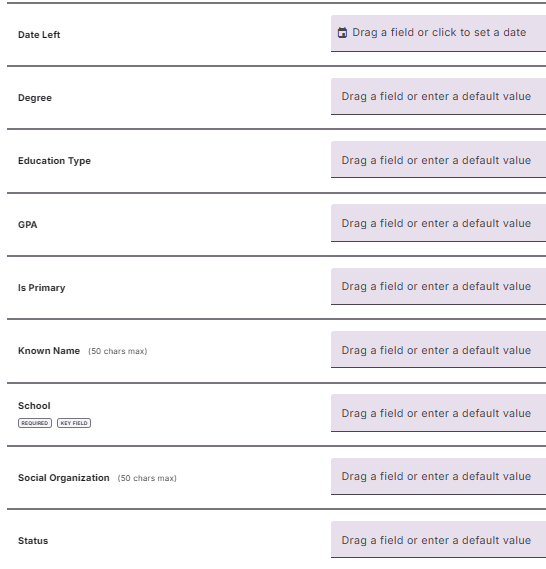
The School (or Establishment for UK Organisations) field is the only required field, the rest of the fields in this area can be mapped either to a field in your source or they can be given a default value.
Additional UK Fields
For Users in the UK, the Education Data Destination includes some additional fields that can be mapped. These are Class of Degree, Department, Faculty, Registration Number, and Subject of Study.
Major and Minor Area Settings are not available to UK Organisations, due to the nature of their additional fields highlighted above.
Education Area Settings
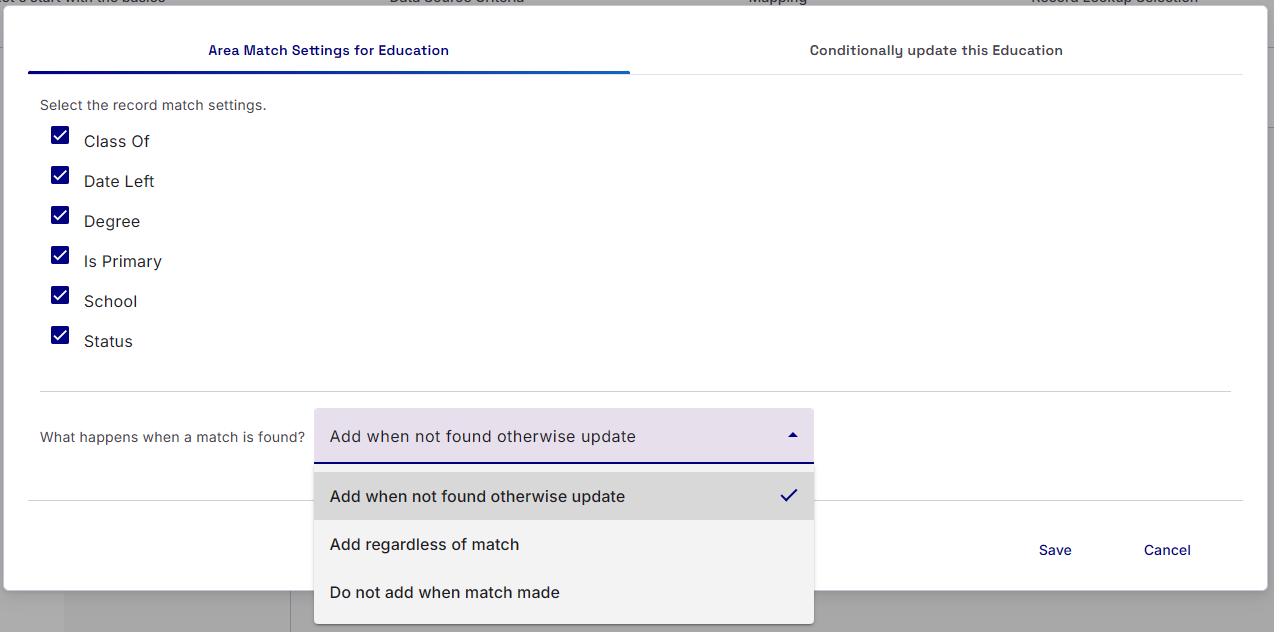
The main Area Settings for Education allow you to select how to find a suitable Education Relationship on a record and then what to do when a match is found. You can match on Class of, Date Left, Degree, Is Primary, School (or Establishment in UK), and/or Status.
The options for what happens when a match is found are:
Add when not found, otherwise update (default value)
Add regardless of match
Do not add when match made (this will not update the Education record)