

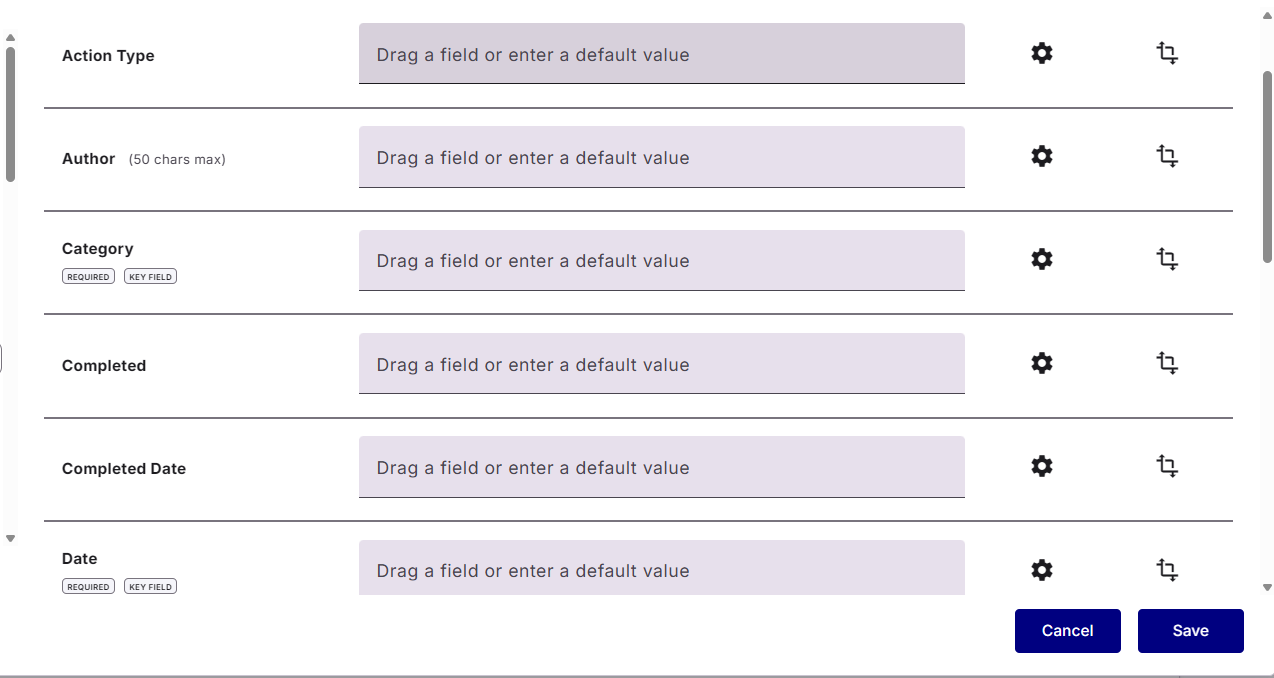
Adding an Action to your template is fairly straightforward and can be added to any Constituent record. It contains all the fields you would expect for populating an Action record. Only Category and Date are required fields.
Action Custom Fields
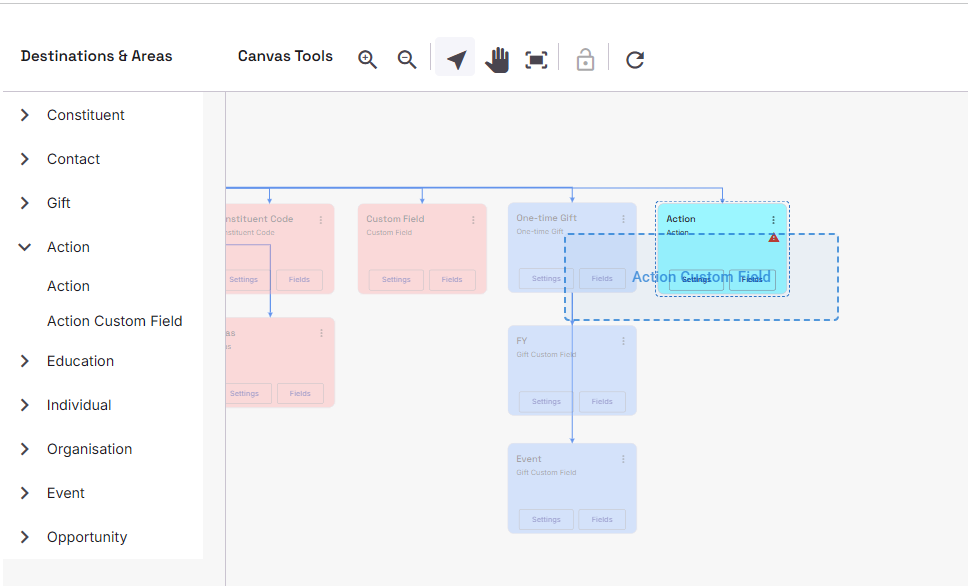
Once you have added an Action, you can then attach Action Custom Fields by dragging the Area onto the the Action.
Action Area Settings
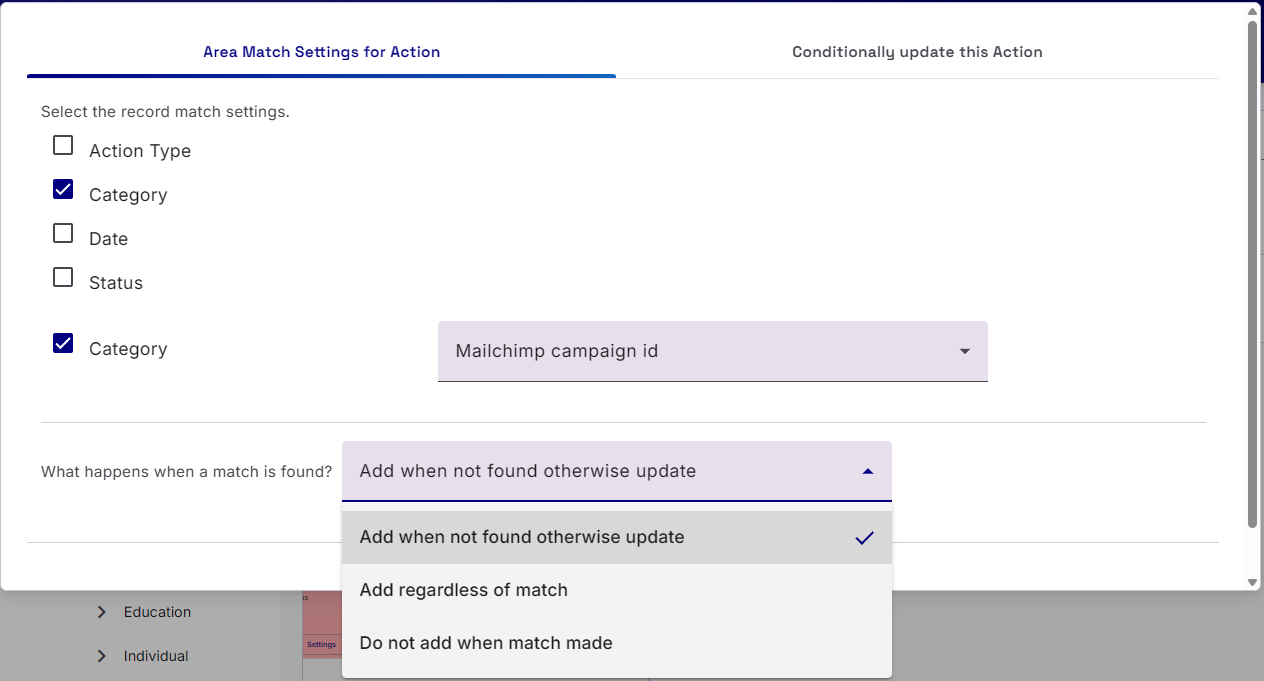
The Action Area Settings are fairly standard with an extra bit of match functionality. The Area Settings offer several options on how Importacular should look for a match on an existing Action on a record as well as what to do when a match is found.
The extra bit of match functionality is that we have included the option to match on Category. This Category field refers to a Custom Field Category. In order for this to work, you will need to map an Action Custom Field to your Action and ensure that you are mapping to the same Category. This is particularly useful if your Action Custom Field is pointing to a unique value like an ID number. For example, if you have imported an Action to records that contains a campaign ID from a bulk mailing platform (like DotDigital), if you want to update that Action to contain Opens and Click, you might would use this feature to ensure the correct Action is updated and a new Action is not created.
Additionally, we also offer a Conditional Update Area Settings, which is common across all Area Settings. For Action Area, you can apply a condition to add/ignore an Action based on the condition of a field from the data source.